
THE SYSTEM
Digital Dental Sculptor Suite - a collection of custom-made Blender add-ons for restorative cosmetic dentists.
A push-button smile-design workflow in free desktop software, powered by the Digital Dental Sculptor™️ Suite, that includes user-friendly 2D smile simulation, the DDS panel workflow, on-screen controls and the Pescatore Tooth Library™️. One payment. You own it.
What it replaces
$2,995One payment · single-user license · lifetime v1 updates
One veneer case or several wax-ups and you're even. There is no year two.
14 days, no argument. Install it, follow the guide, design a mockup. If it isn't what I said it was, email me and I'll refund you in full.
THE DDS WORKFLOW - FROM SMILE SIMULATION TO 3D SMILE DESIGN
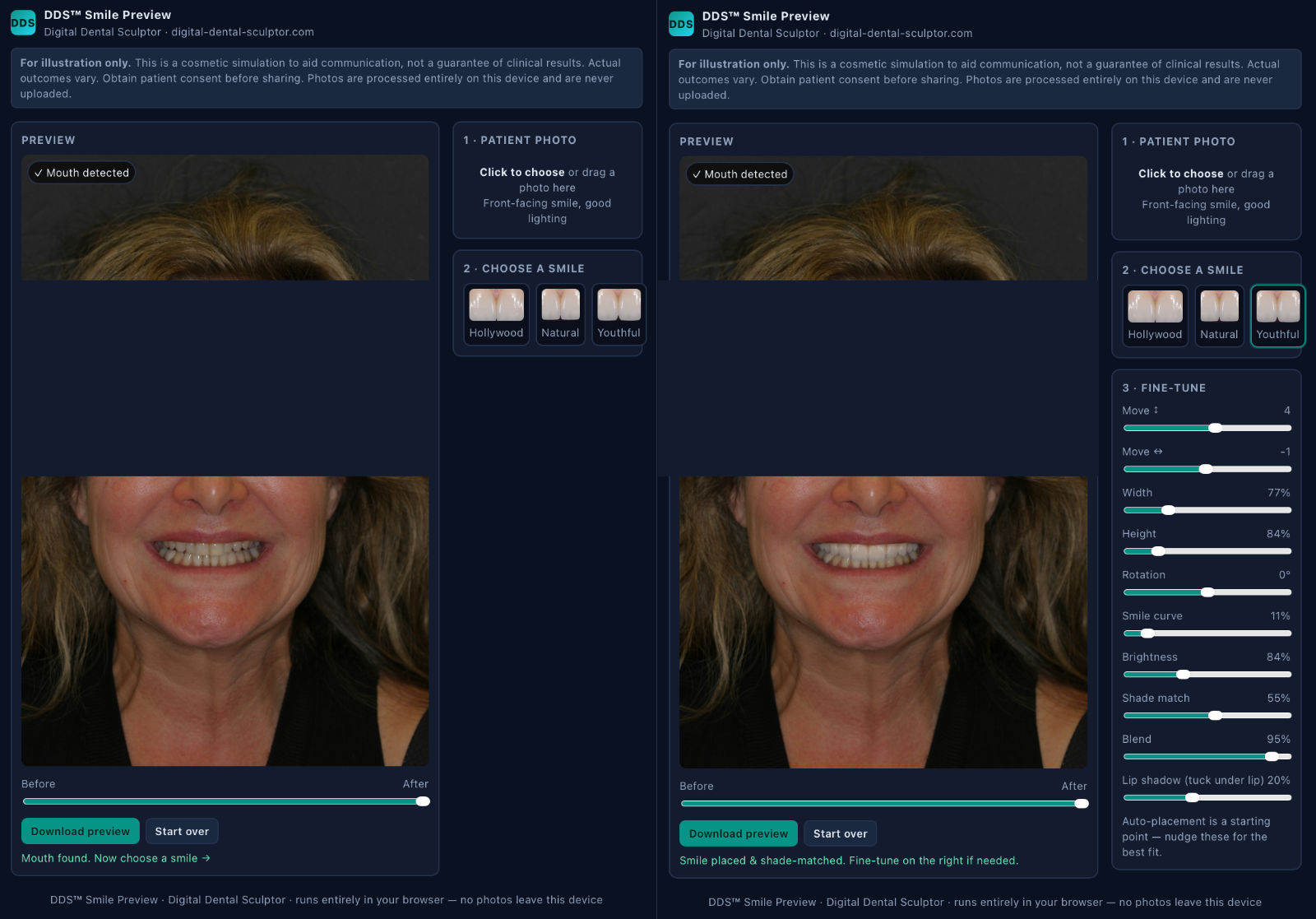
Step 1 - DDS Smile Simulation
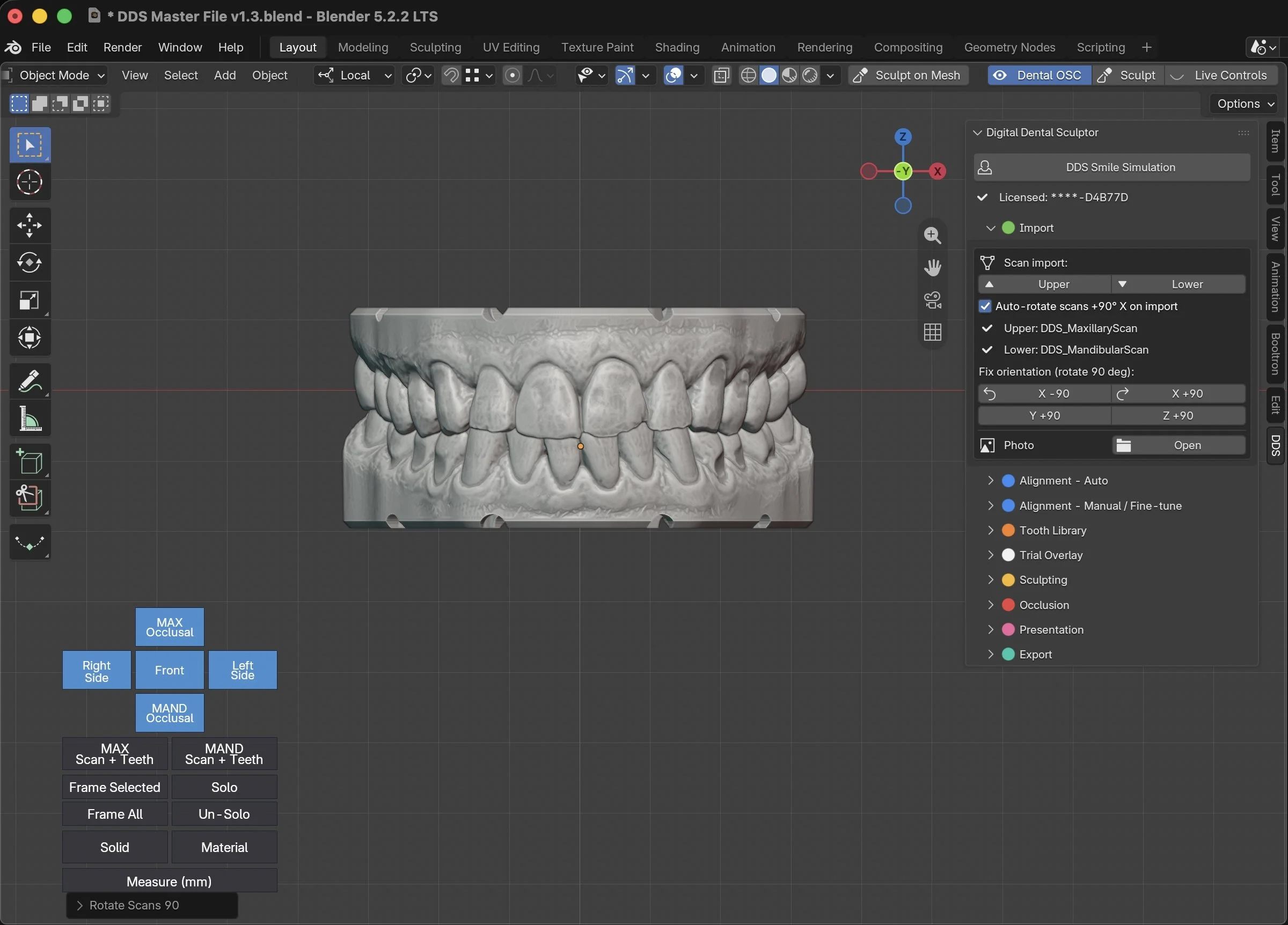
Importing scans
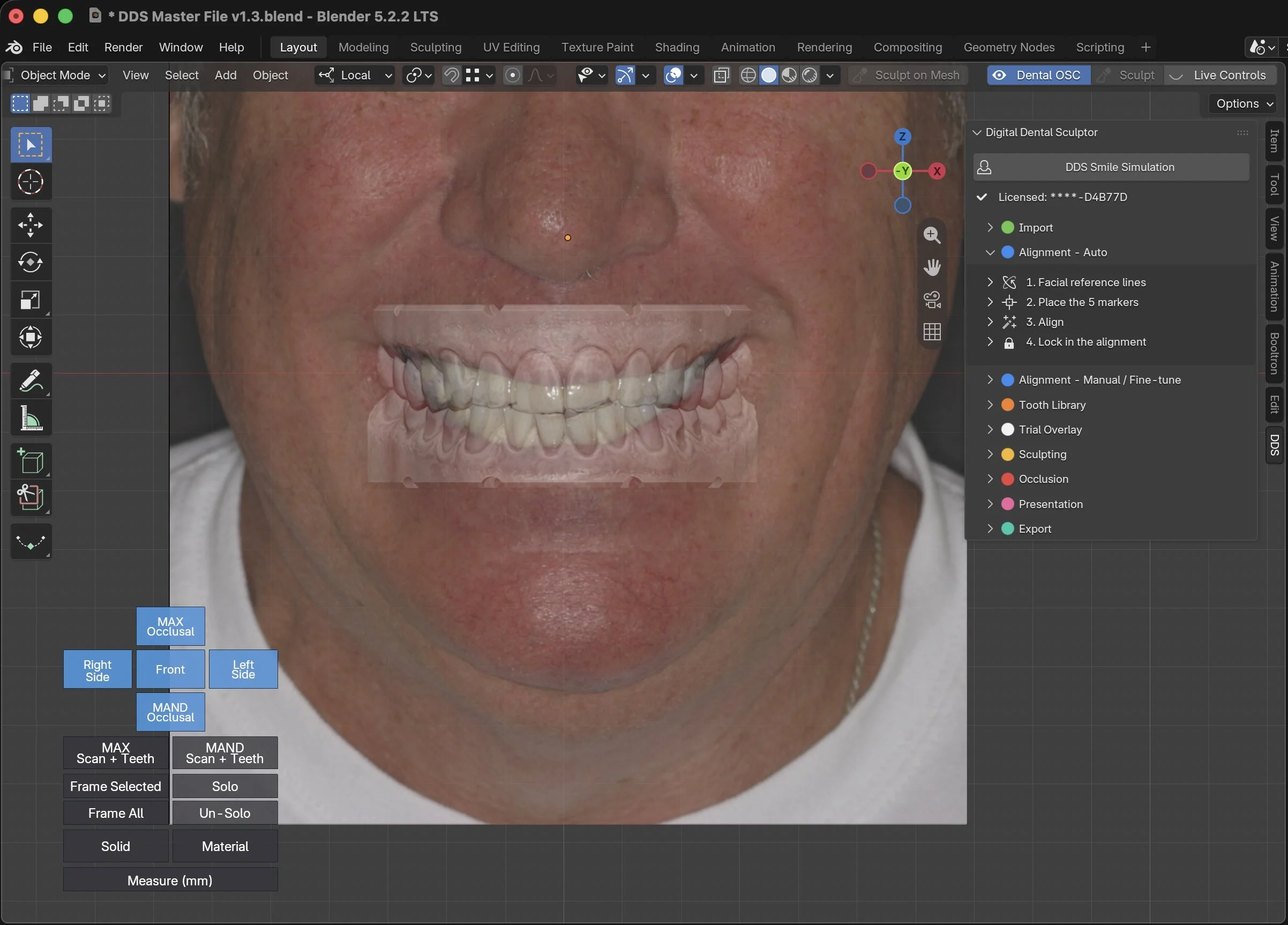
Importing patient photo
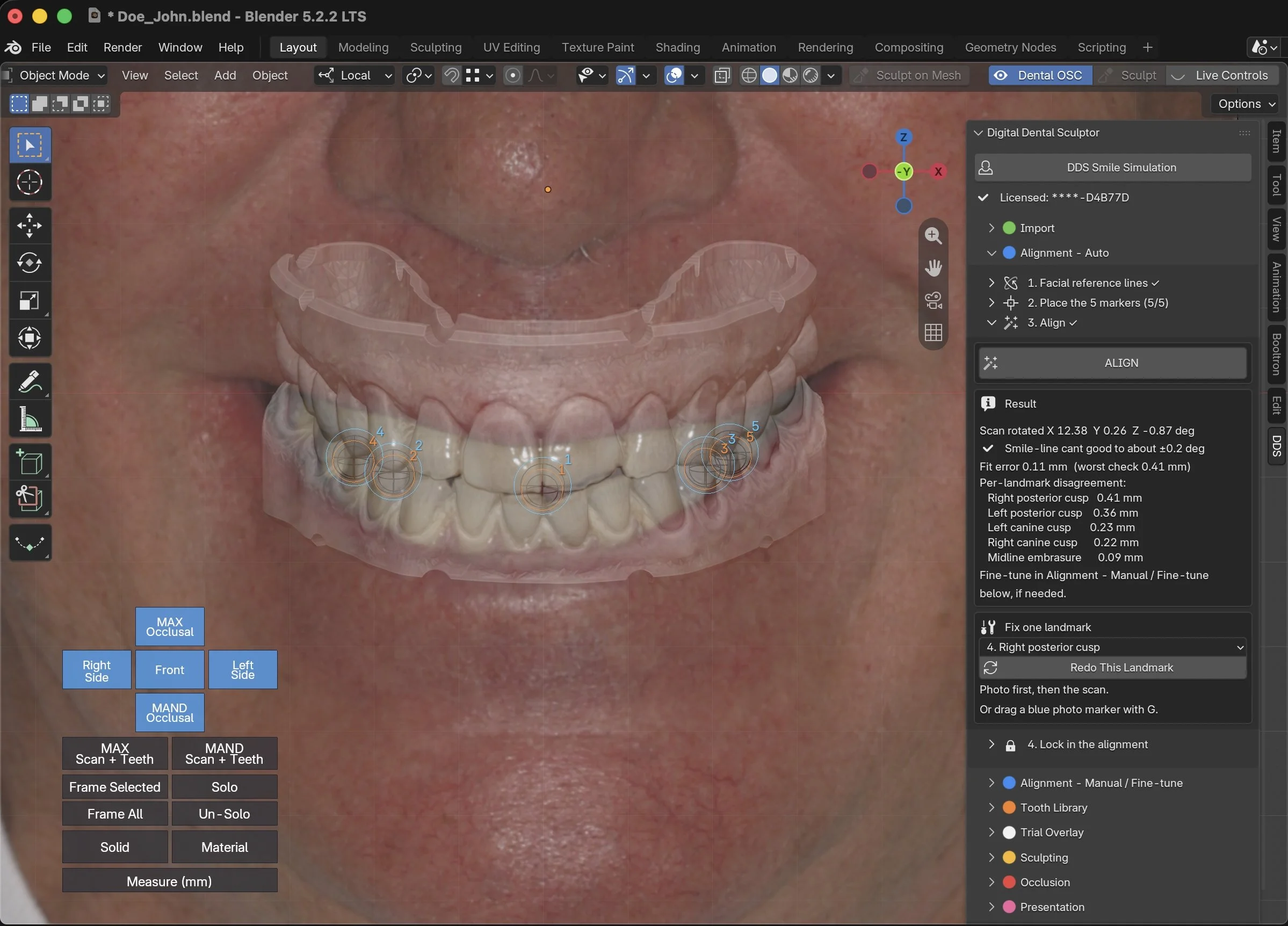
Auto-alignment of photo and scan - No CBCT necessary
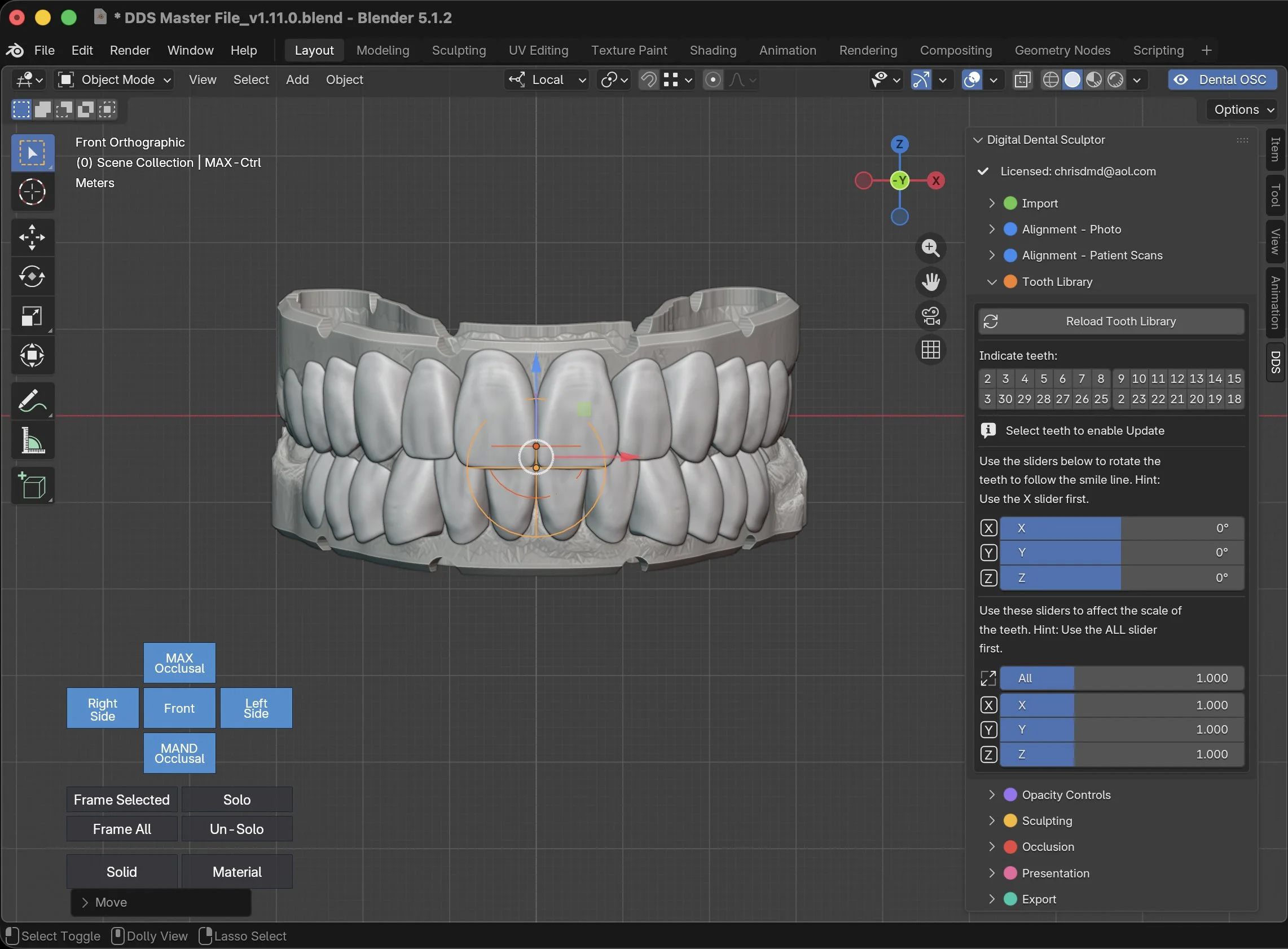
Importing the included Tooth Library and selecting teeth to be restored
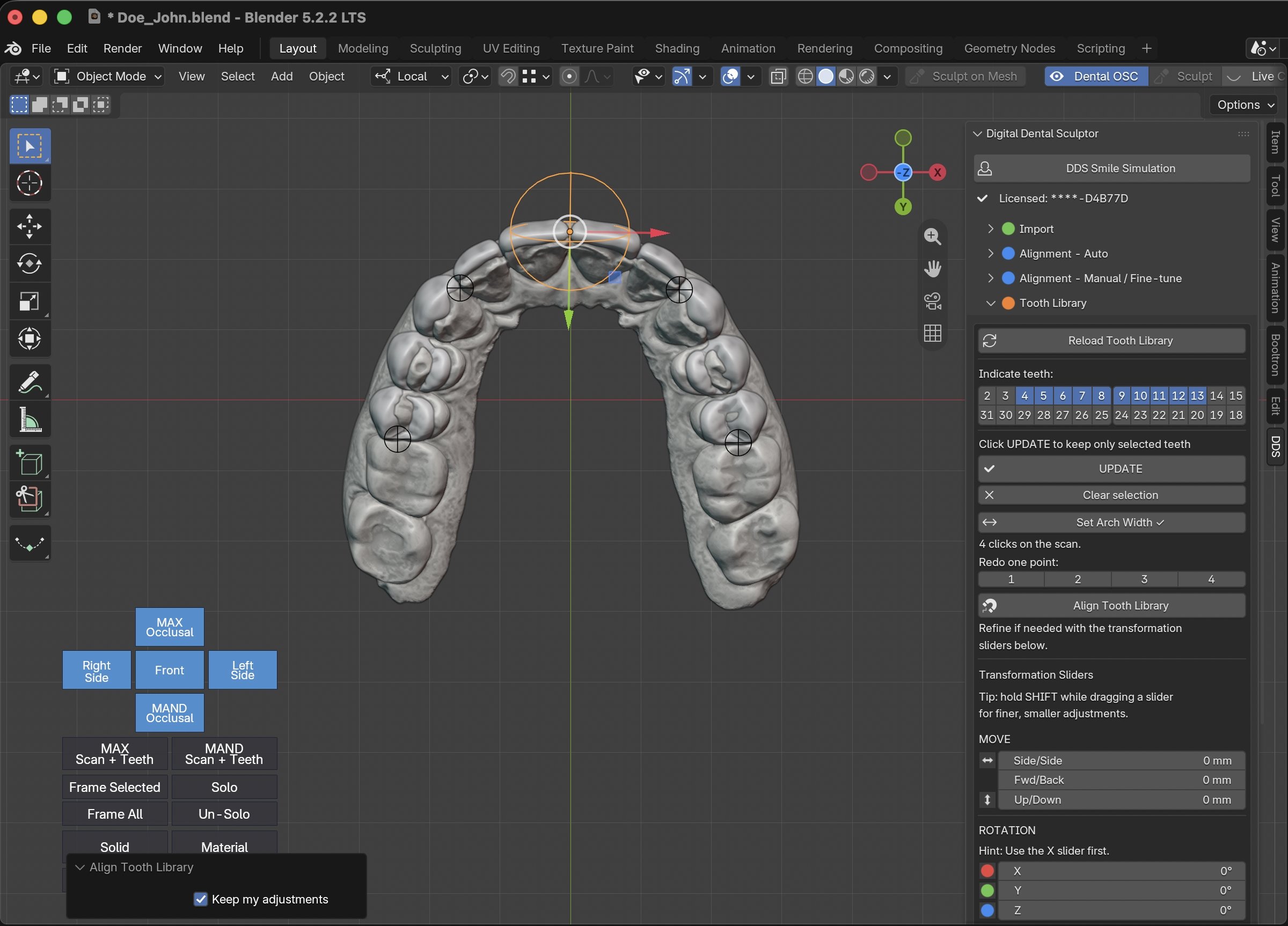
Auto-alignment of tooth library onto patient scans
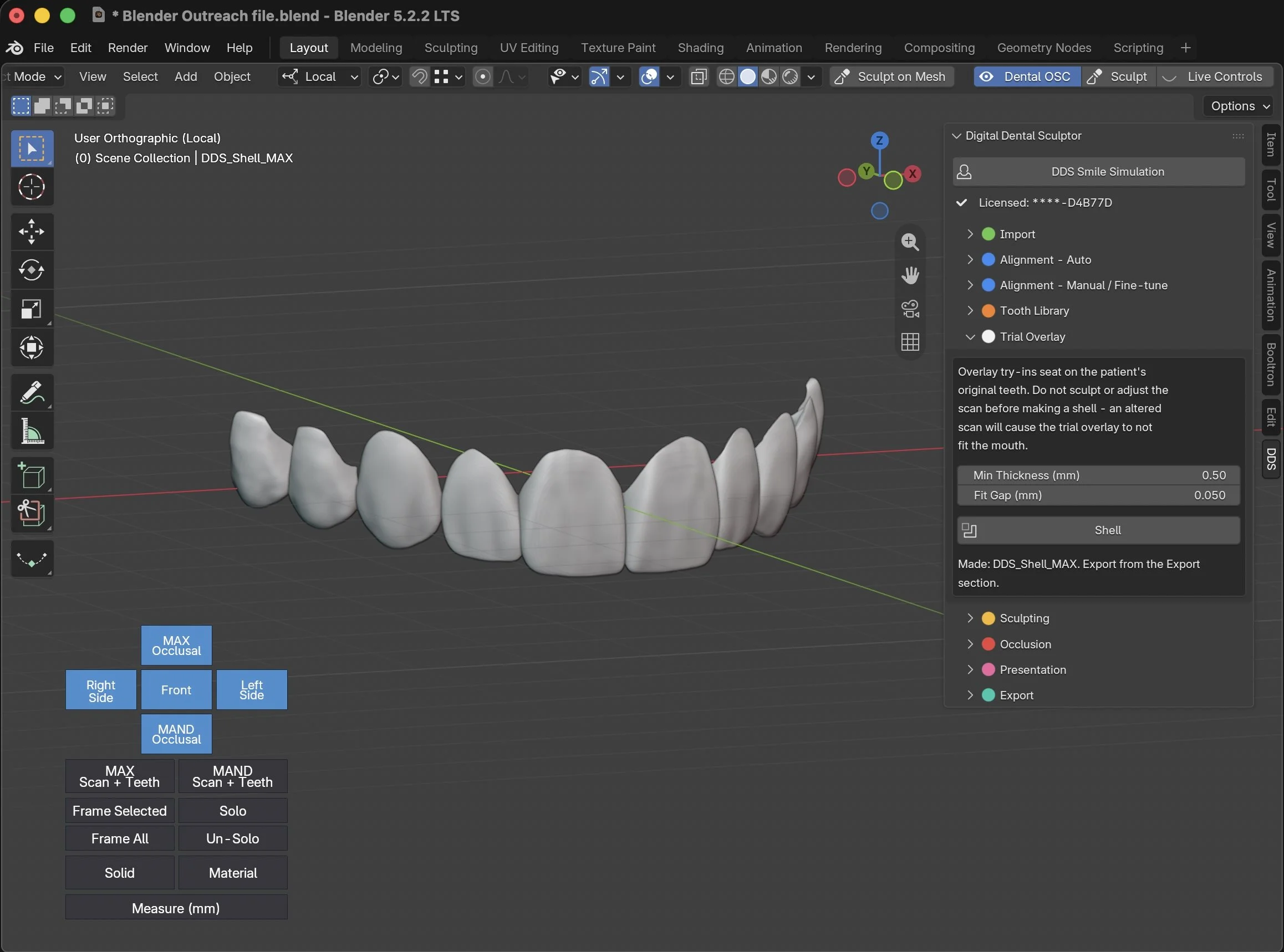
Trial overlay / smile creation
Simple sculpting tools for refinement
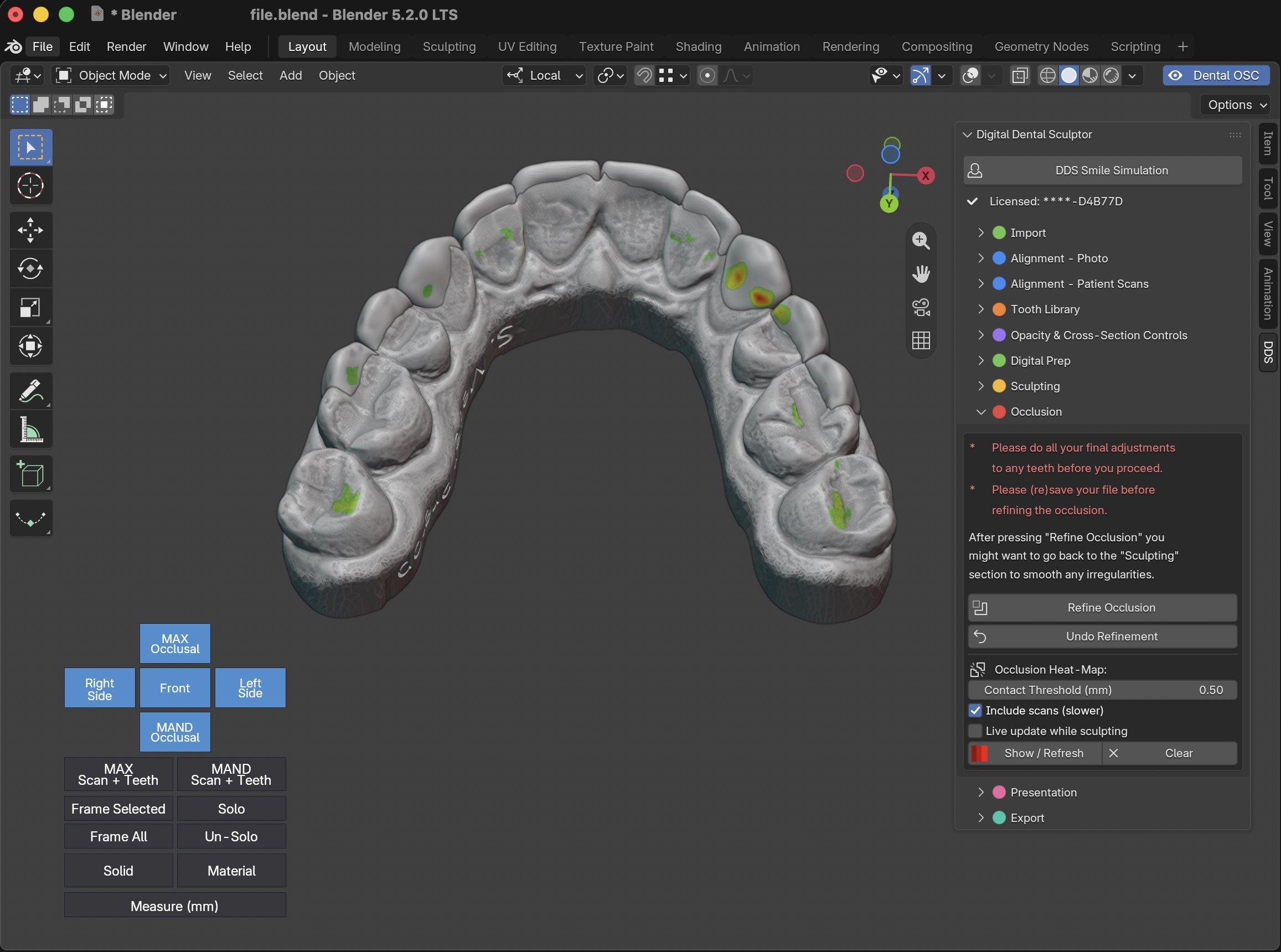
Occlusion intensity map adjusted with just one click
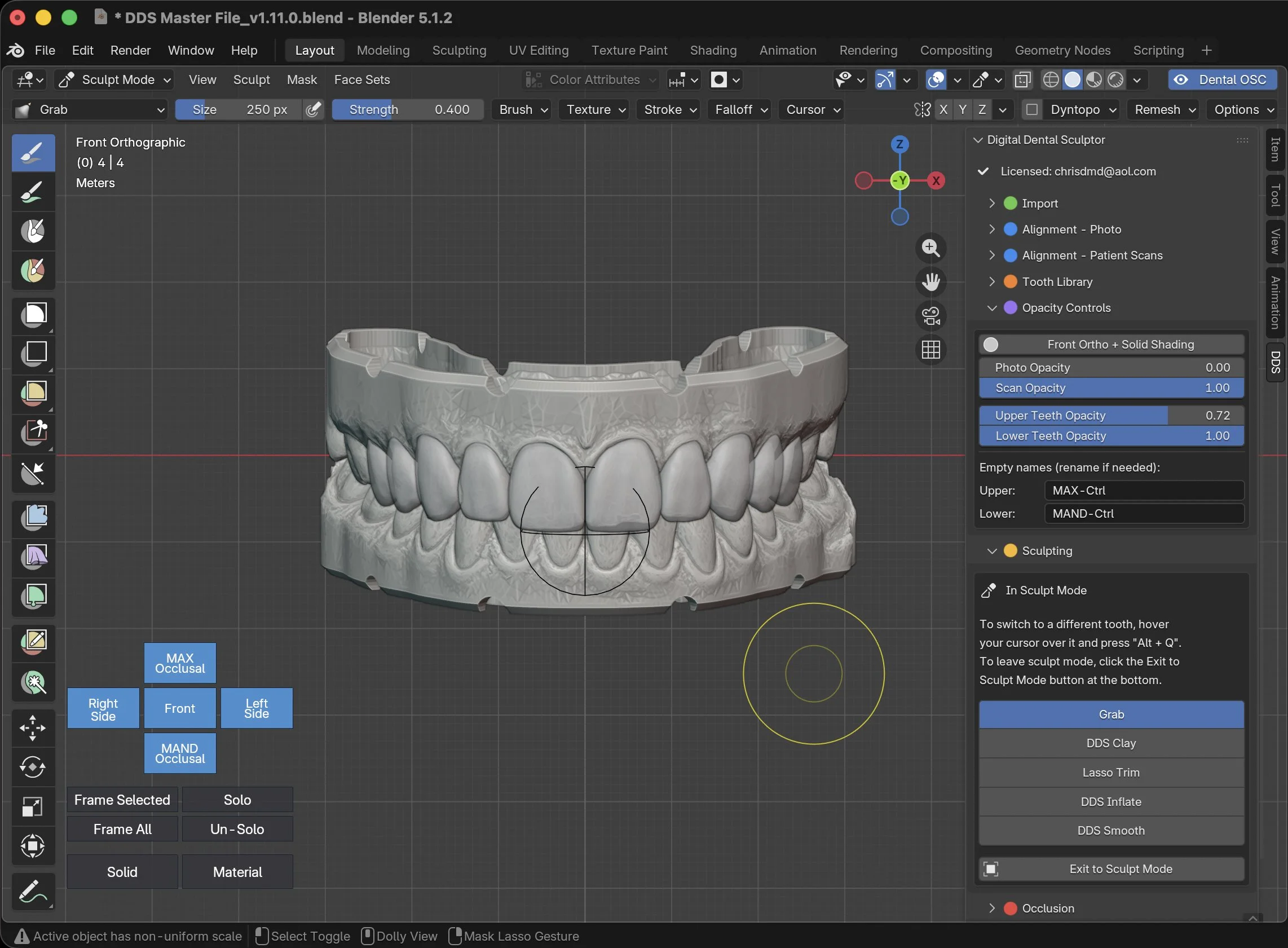
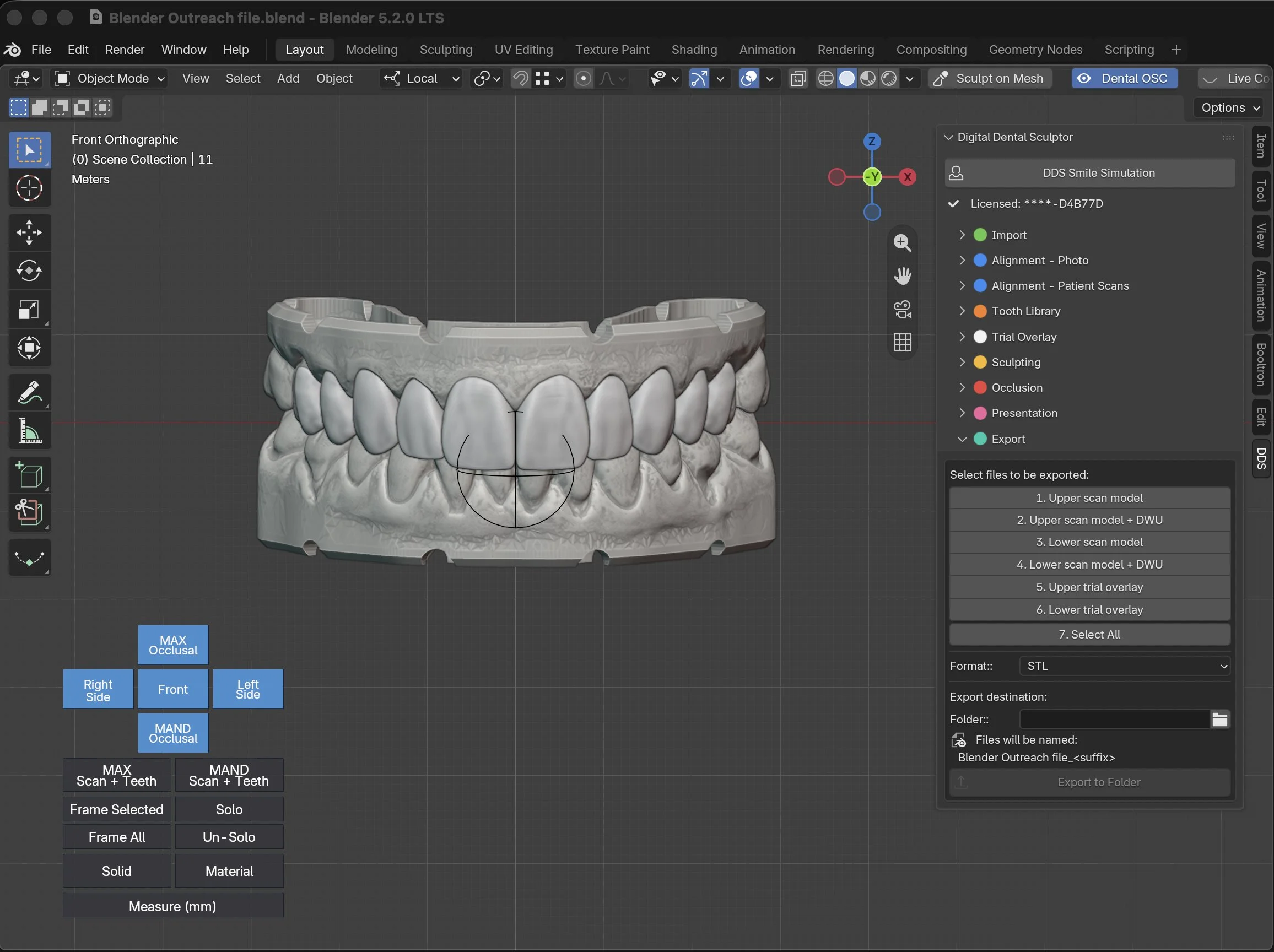
Export options to send to your lab or in-office printer
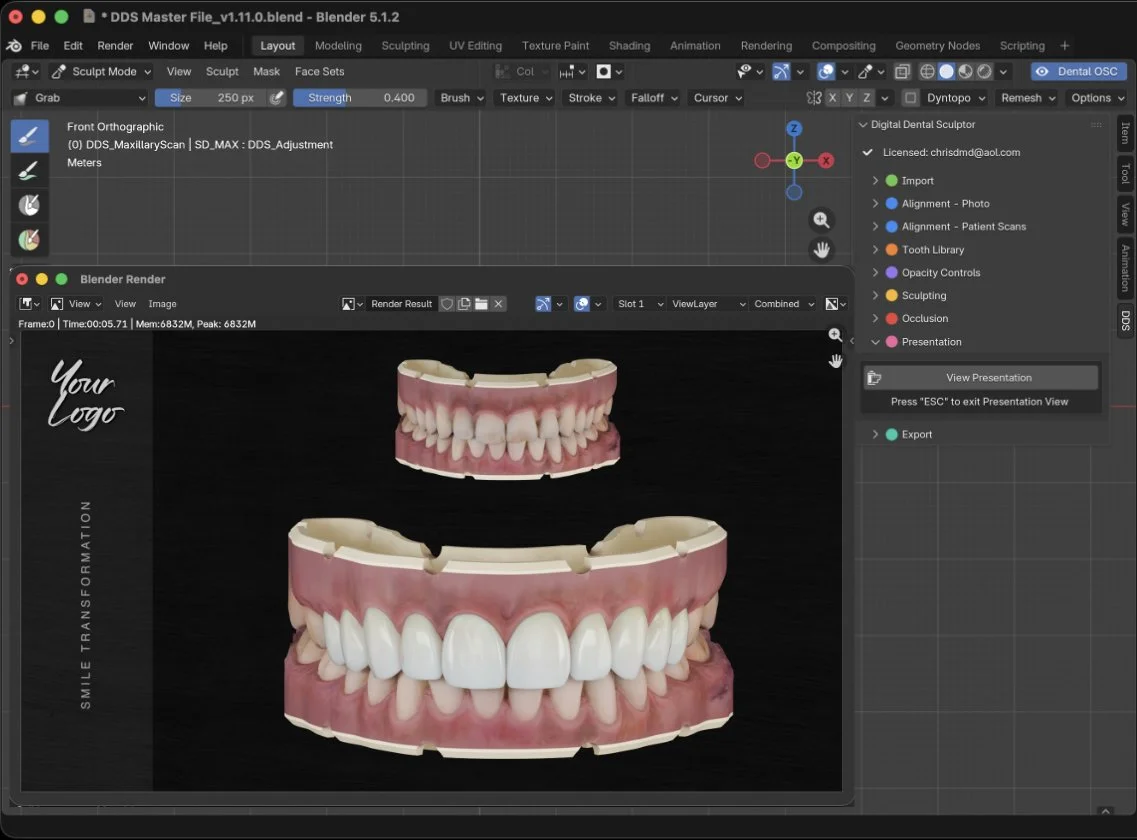
Presentation
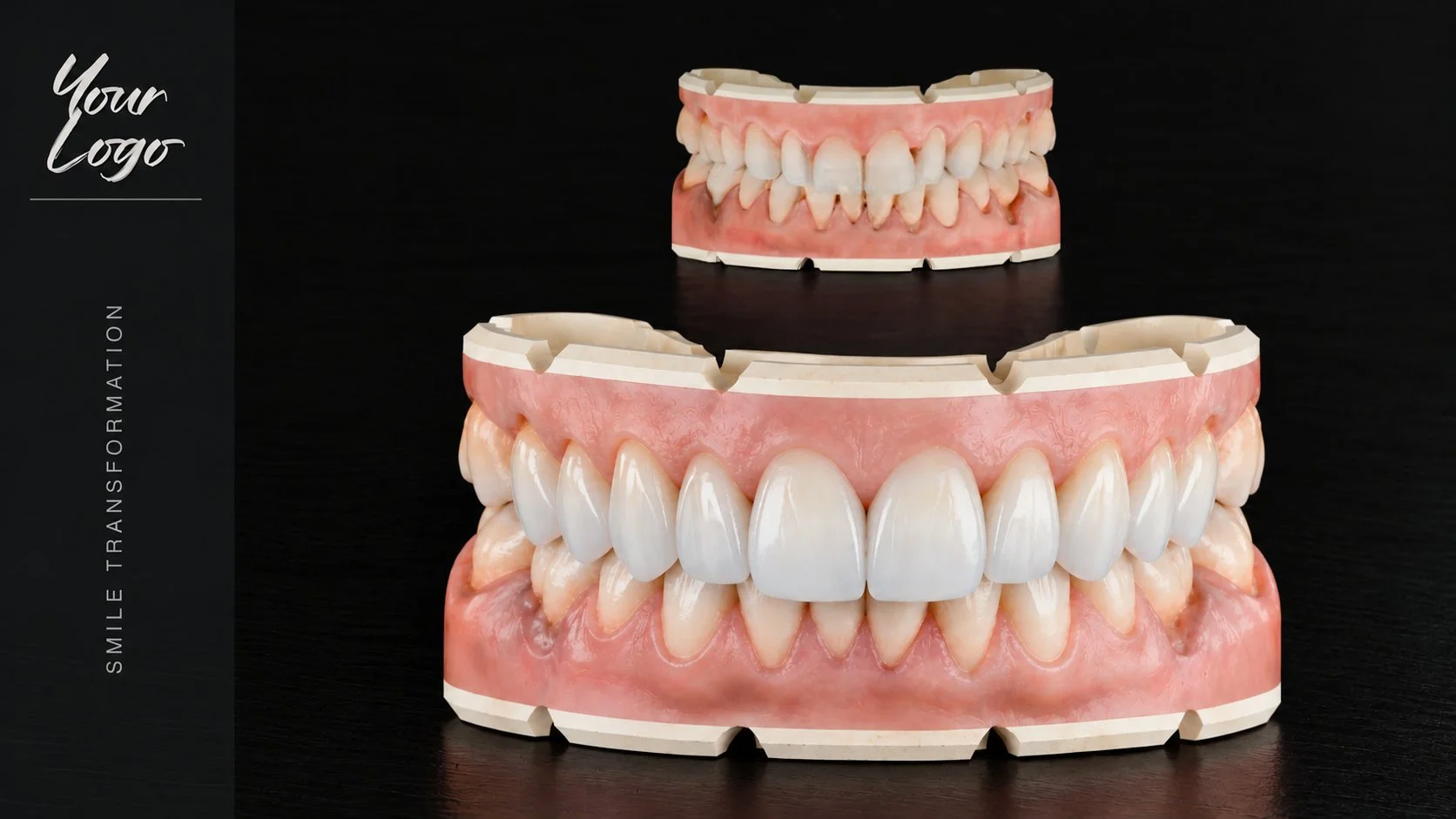
Enhanced Presentation
See it run
One case, start to finish.
Scans in, teeth placed, sculpted, exported to your lab, or the printer. No prior Blender experience — this is the whole workflow, unedited.
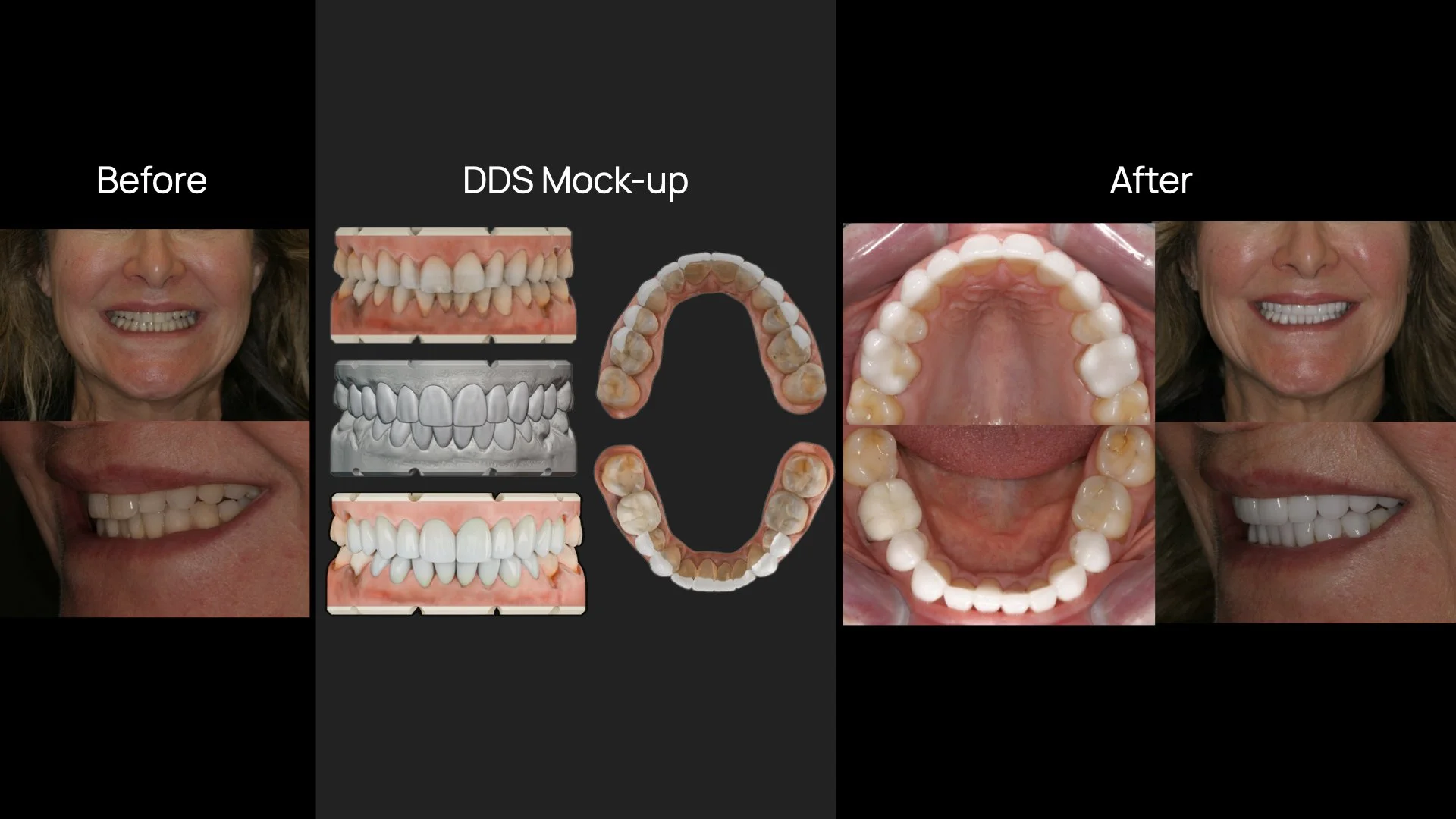
CASE EXAMPLES
Case 1: Ms. M - 18 units total
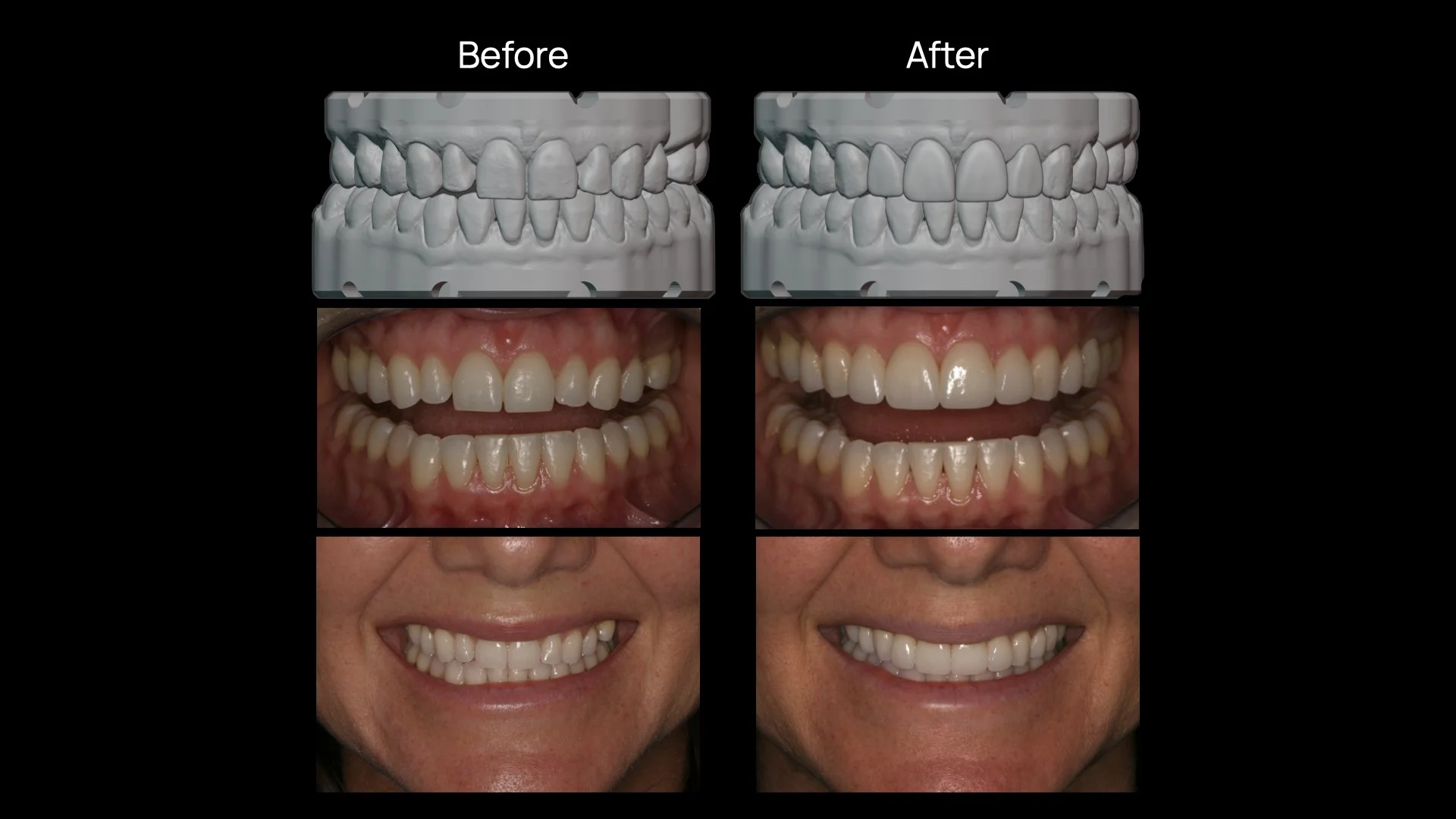
Case 2: Mrs. T, post-ortho - 4 units
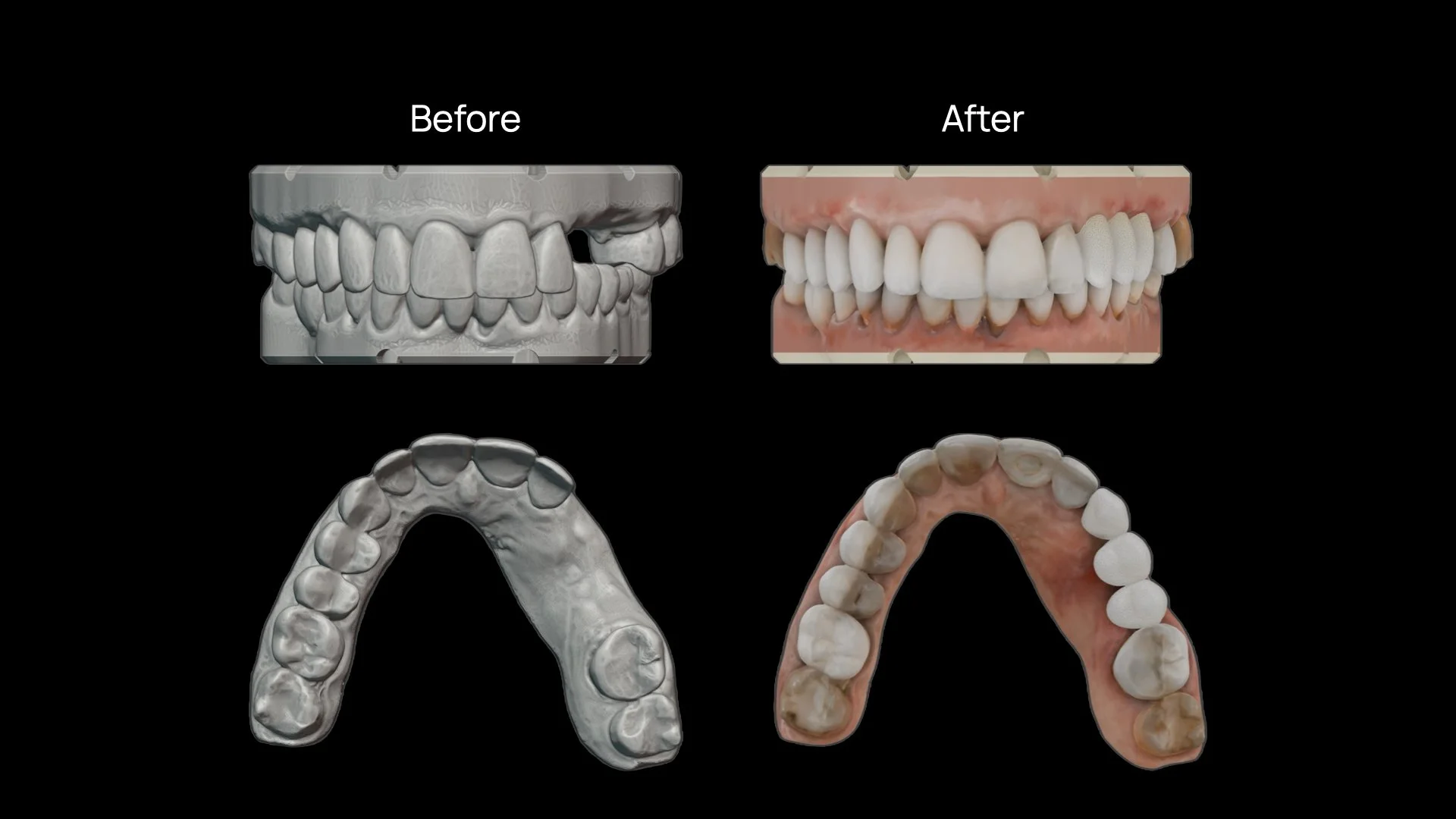
Case 3: Ms. D - implant planning for surgical guide
The Pescatore Tooth Library
My own 3D tooth set, refined over 36 years of veneer work for natural proportion, contours, and shading. The part nobody else has — and nobody can copy.
WHAT’S INCLUDED
01
The Digital Dental Sculptor Suite
Push-button and slider-based smile simulation and 3D design in Blender (free desktop software), set up the way I actually do it. Install once, use forever.
02
Comprehensive User Guide
Step-by-step instruction with an abundance of screenshots for easy reference. Written so you don't need any prior Blender experience.
03
Tutorial videos
A full library of how-to videos walking you through the whole process - from installation to final smile mockup and export options — delivered to your inbox after purchase.
The DDS Guide to Blender
A quick 1-page reference guide for the Digital Dental Sculptor Suite.
04
05
Branded case presentation
DDS exports a ready-made before-and-after presentation. Drop in your practice logo and it's ready to show the patient in the chair, email them that evening, or print for the chart.
06
Lifetime updates
As the library and the add-on improve, the updates are yours for v1. Free, forever.
07
Digital Dental Sculptor Suite
$2,995*
Single-user license
One-time · digital download
14-DAY GUARANTEE · LIFETIME v1 UPDATES
By purchasing, you agree to our End User License Agreement. Licensed for use on up to three computers within one practice.
*Institutional pricing available, please contact to discuss
You already do some cosmetic work and want to stop outsourcing mockups
You want to do more cosmetic cases but freeze at the presentation
You're tired of paying for expensive software and updates to a program that is unintuitive and the result still looks unnatural
You'd rather own a skill than rent a subscription
THIS IS FOR YOU IF
You want a done-for-you service where you never touch the design
You're not willing to spend an evening or two learning the workflow
You're looking for closing scripts rather than craft
NOT FOR YOU IF